This guide will walk you through how to host a Killing Floor server through playit.gg
Requirements
- Killing Floor - [steampowered.com]
- Killing Floor Dedicated Server - [steampowered.com]
Documentation
- Dedicated Server (Killing Floor 1) - [killingfloor.fandom.com]
Server
This server is available for download with SteamCMD . To install with SteamCMD, open it in a command line. You can do this by navigating to your install location, and opening a command with your address bar (did you know you could do that?)
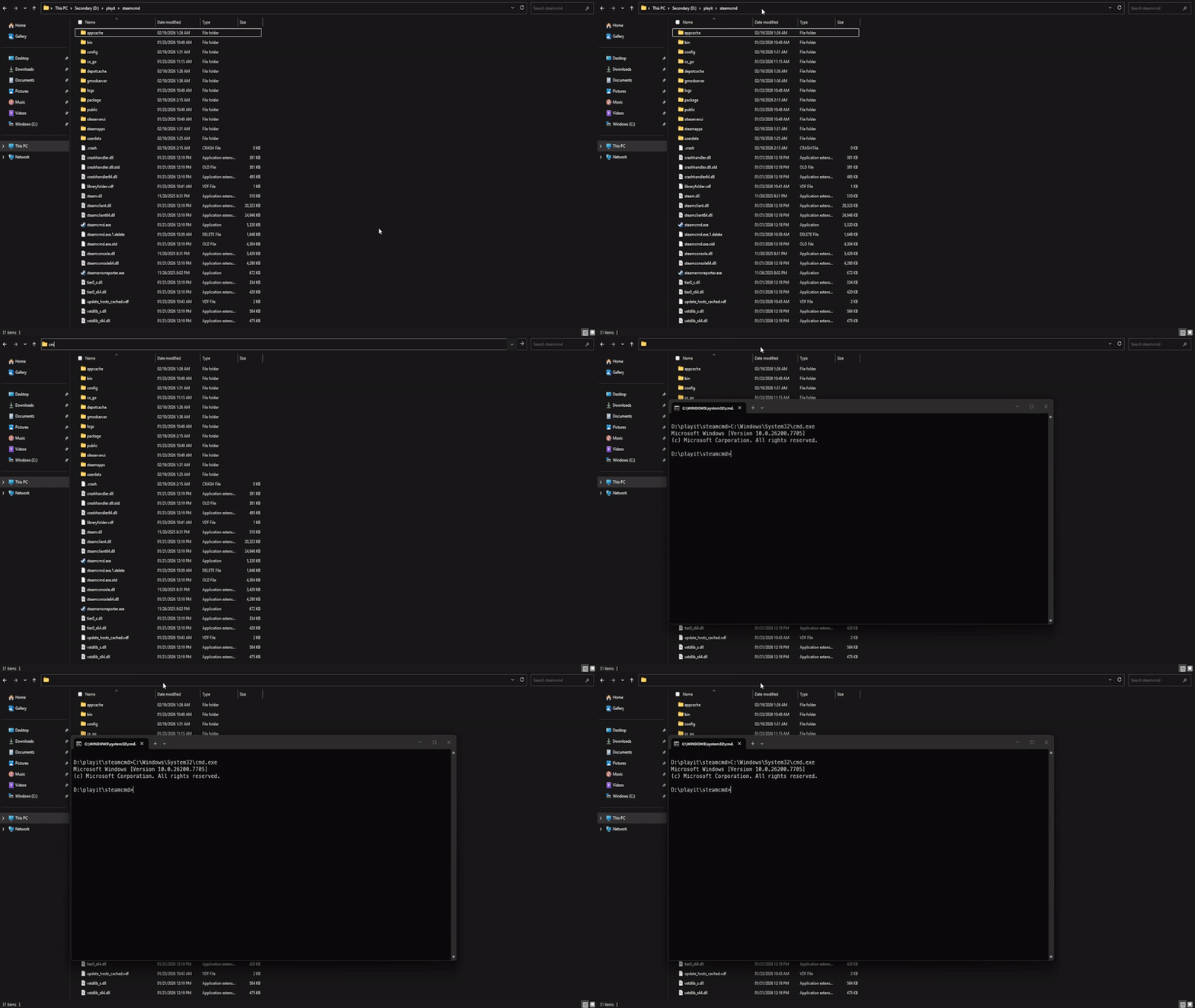
Now that we’re in the SteamCMD directory, we need to tell it where it should download the server files. To do this, we can use the force_install_dir command. For example, if you want this directly on your main drive, you can use force_install_dir C:\killingfloor\
You can now log into SteamCMD using login <steam_username>, and to download the server use app_update 215350 validate where 215350 is the Steam App ID.
This app requires a Steam account to download. Follow the instructions within SteamCMD before proceeding. Otherwise, you will get this error:
Steam>app_update 215350
ERROR! Failed to install app '215350' (No subscription)
Configuring the server
Inside of the server’s install directory, navigate to \steamcmd\killingfloor\System\ and open a command line inside of this directory. You can do this by doing the same thing as SteamCMD.
To run the server, run KF_Server_Launcher.bat. This file has the launch arguments set to ucc server KF-westlondon.rom?game=KFmod.KFGameType?VACSecured=true?MaxPlayers=6?AdminName=Admin?AdminPassword=123 -log=server.log by default. You can modify this file to your liking, but for the simplicity of this guide, we won’t change these.
At this point, the server is running and you should be able to connect to the server within your own network, but playit hasn’t been configured yet.
Creating a tunnel
This server uses
UDP 7707andUDP 7708, which means that all users can create this tunnel type.
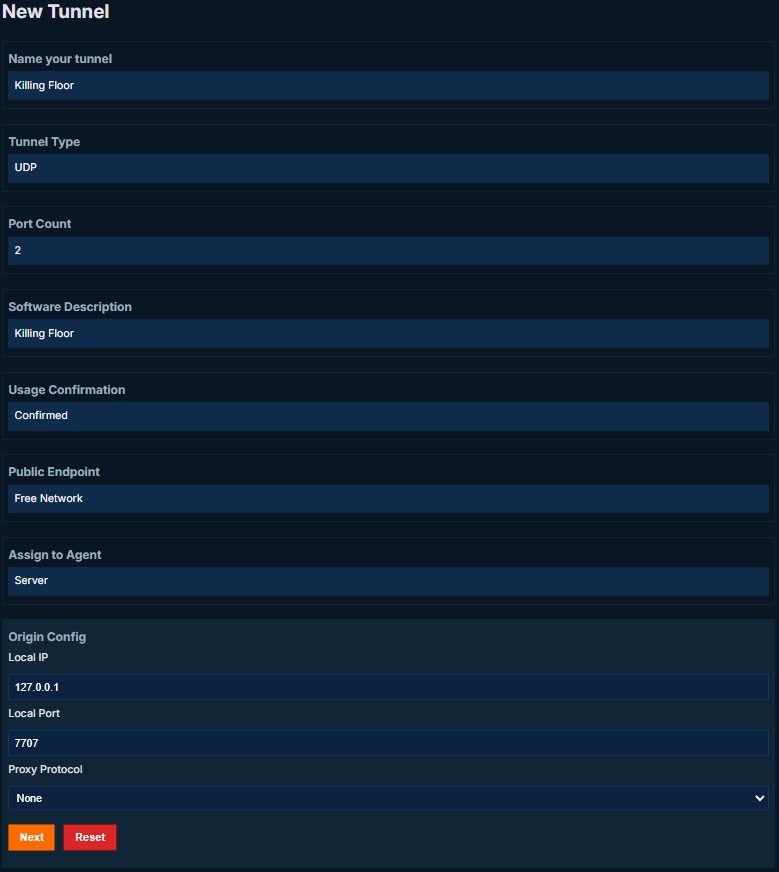
Set up the tunnel as follows:
Tunnel Type: UDP (protocol)
Port Count: 2
Local Port: 7707
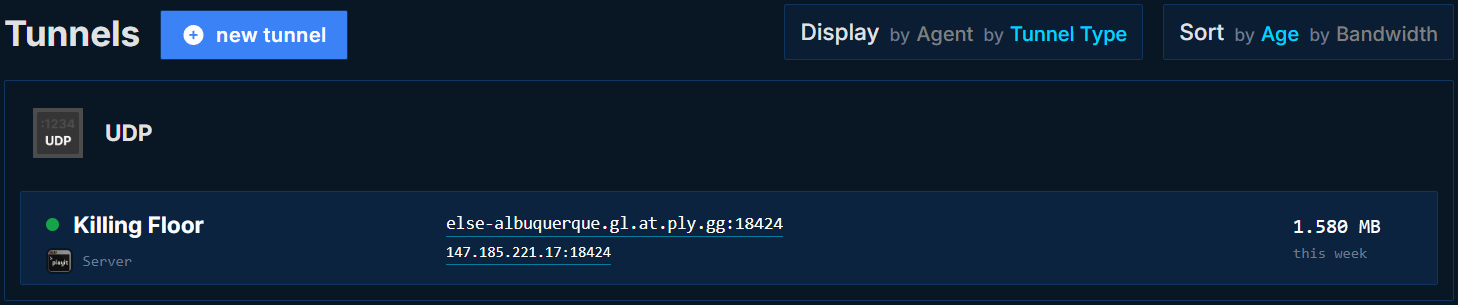
Joining the server
Open the console by pressing ~ and type open <playit_ip>:<port>?steamextra=1. The ?steamextra=1 argument allows the port to be appended to the end of the connection address. Without this argument in place, it strips the server port and fails to connect.